
Forgot Password
"Forgot password?" When you click on (hyperlink), the system will open a new page for you as follows.
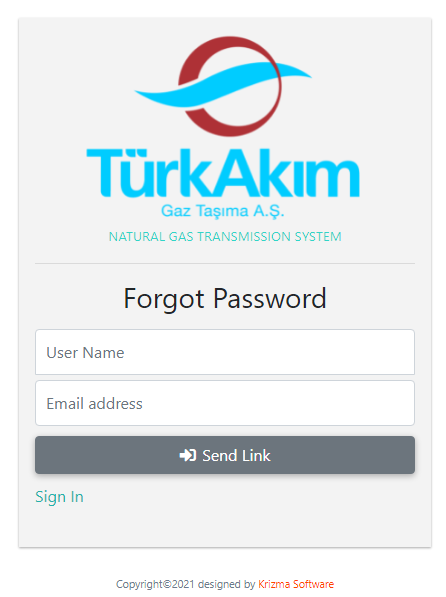
•LOGO (TürkAkım Gaz Taşıma Aş)
•Forgot Password (Part)
oUser Name (Your user name. The USER NAME assigned to the user must have been reported by TAGTAŞ.)
oEmail address (Type your e-mail address registered in TAGTAŞ system.)
oSend Link (BUTTON) (After the information is entered correctly in the field above, this button is clicked.)
•"Sign In" (Hyperlink) (Clicking on this hyperlink takes you back to the login screen.)
PASSWORD LINK (PROCESS STEP 1)
•When you do the above, the system will send you a link via e-mail.
•This link is valid for 10 minutes. (As per the security policy)
•If you do not click this link within 10 minutes, the link will be deauthorized. Even if you click afterward, your transactions will not be executed.
•You can set your new password on the system by clicking on this link during its validity period.
•When you click it, the following page opens.
PASSWORD RENEWAL (PROCESS STEP 2)